 TakeTwin
Hair & makeup continuity for film and TV
The same look. Every take.
The close-up shoots weeks after the wide. Keep your characters, reference photos and scene notes together so you can recreate the look.
iPhone & iPad · TestFlight beta
The workflow
From script to final take.
Prep from the script, track what changes on set and give the next crew the references they need.
Know what you’re shooting.
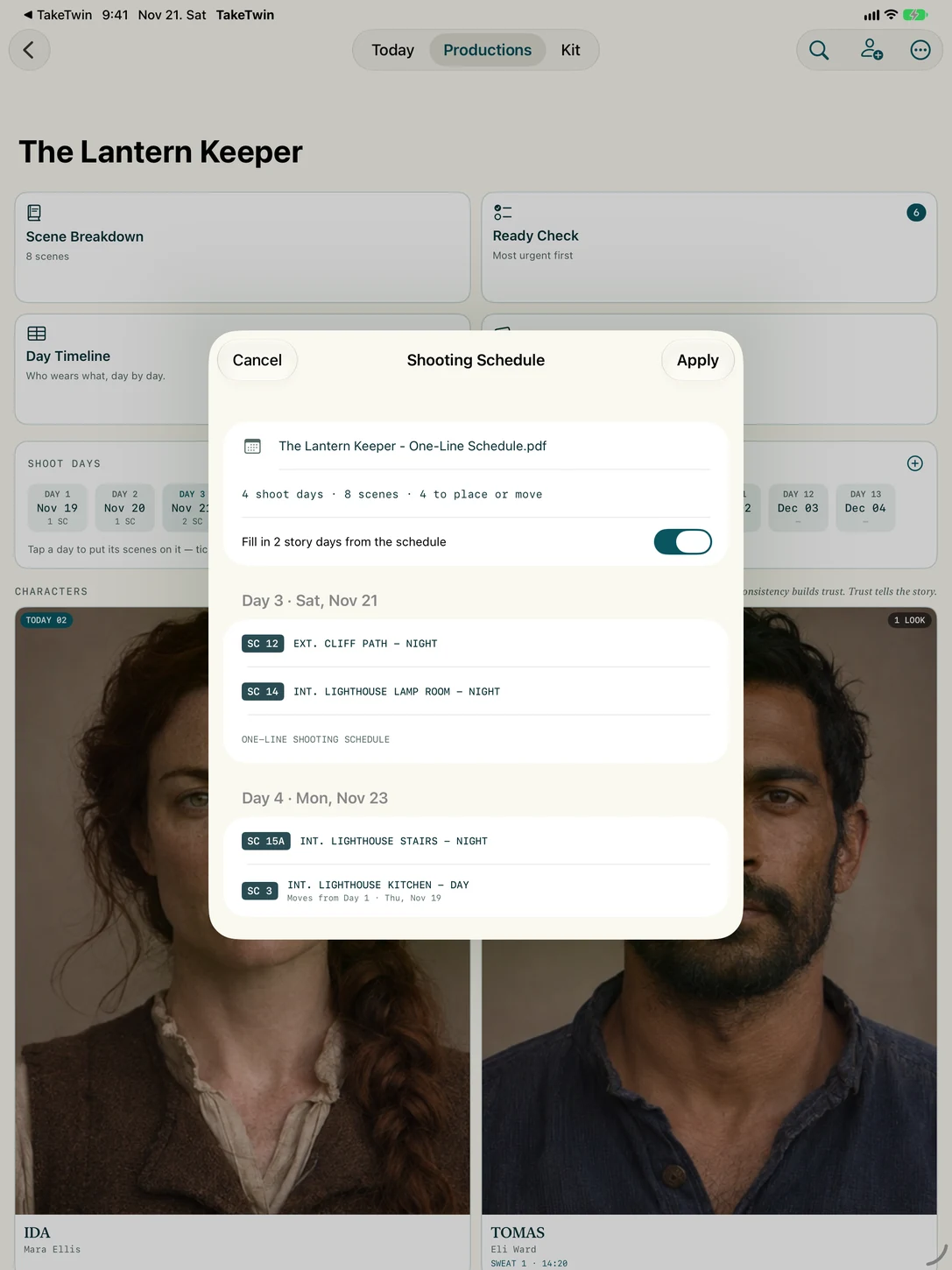
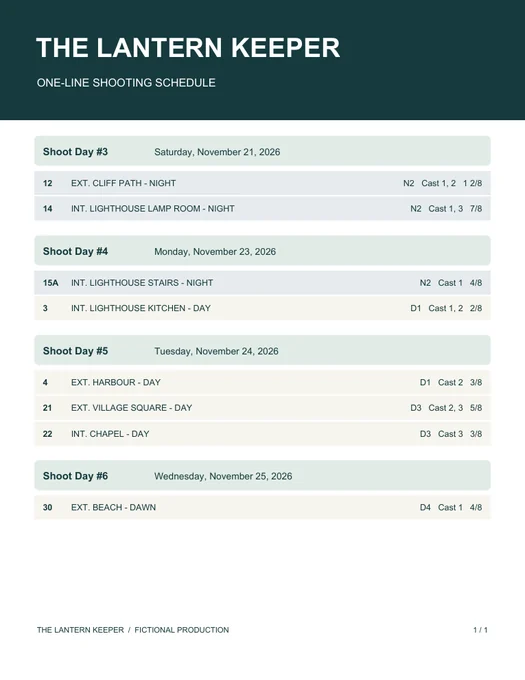
Import the script and shooting schedule. Break down the scenes, see which characters are needed each day and pull up the right looks.
Find the right look in the chair.
Keep fitting photos, products and swatches with each character. Compare the look in the chair with the approved reference and save a new stage as the scene changes.
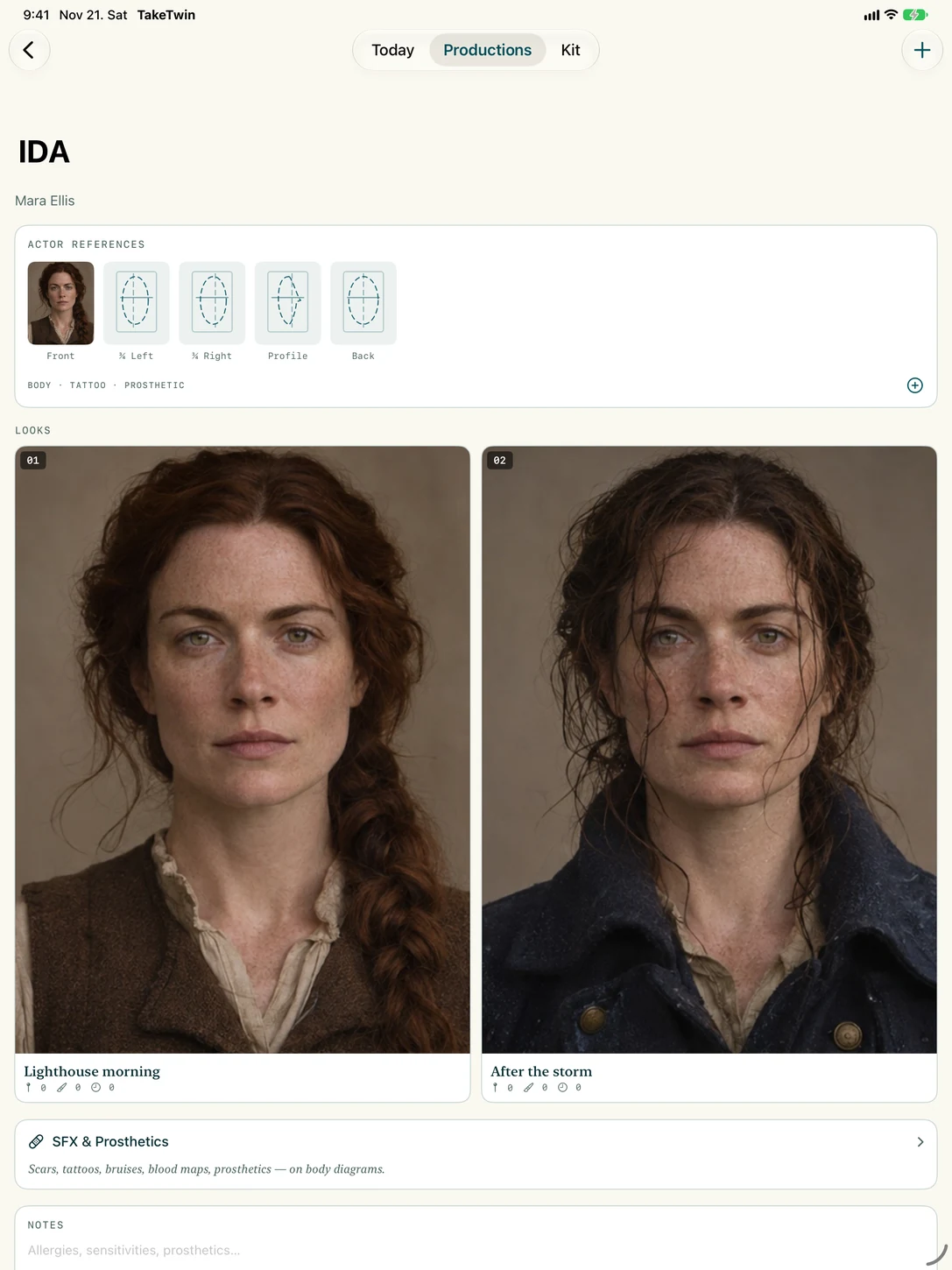
Give the next shift the approved look.
Export a PDF continuity bible. With Pro, publish references for invited crew and choose who can edit shared scene notes.
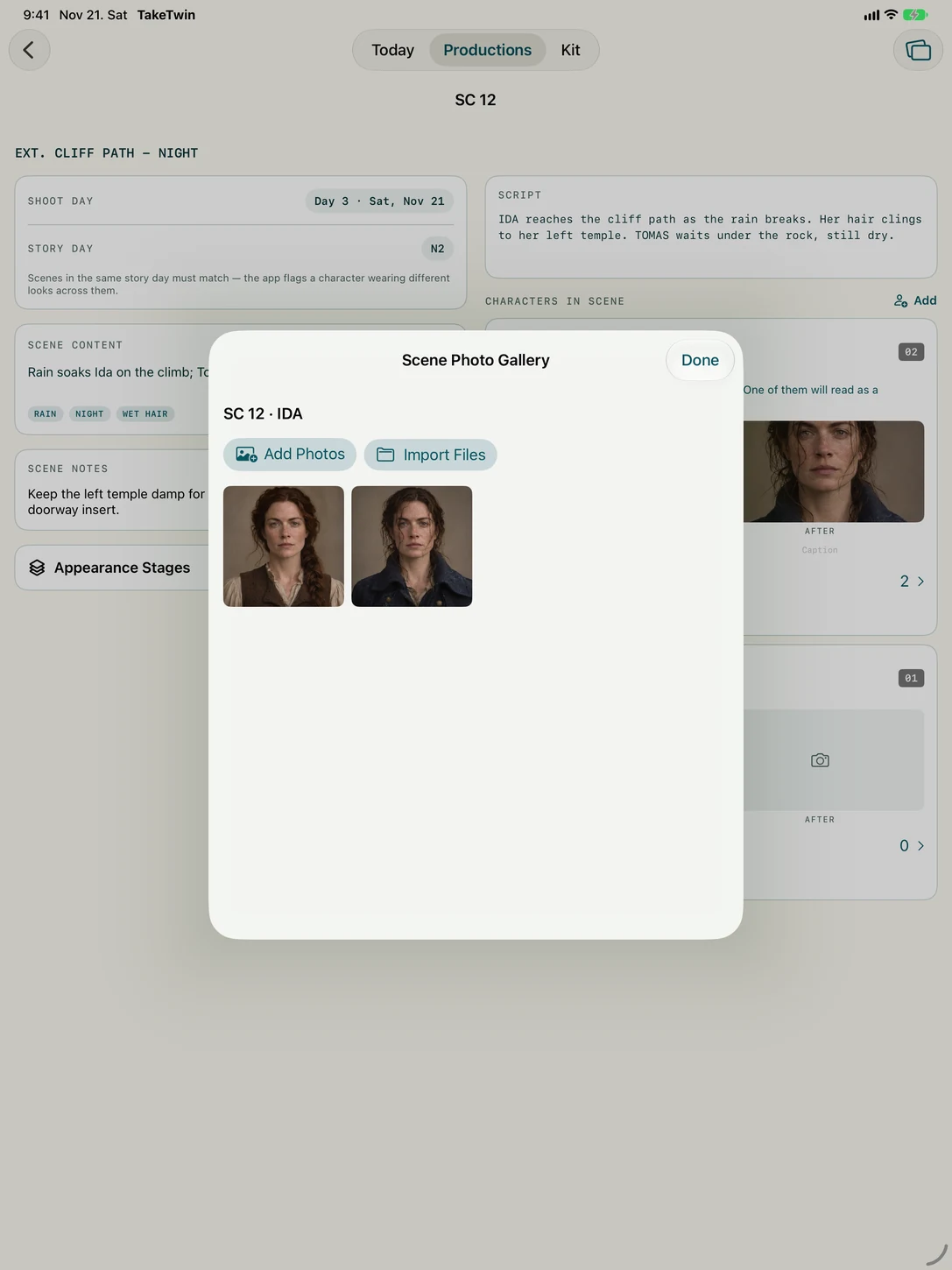
Scene continuity
What changed between setups?
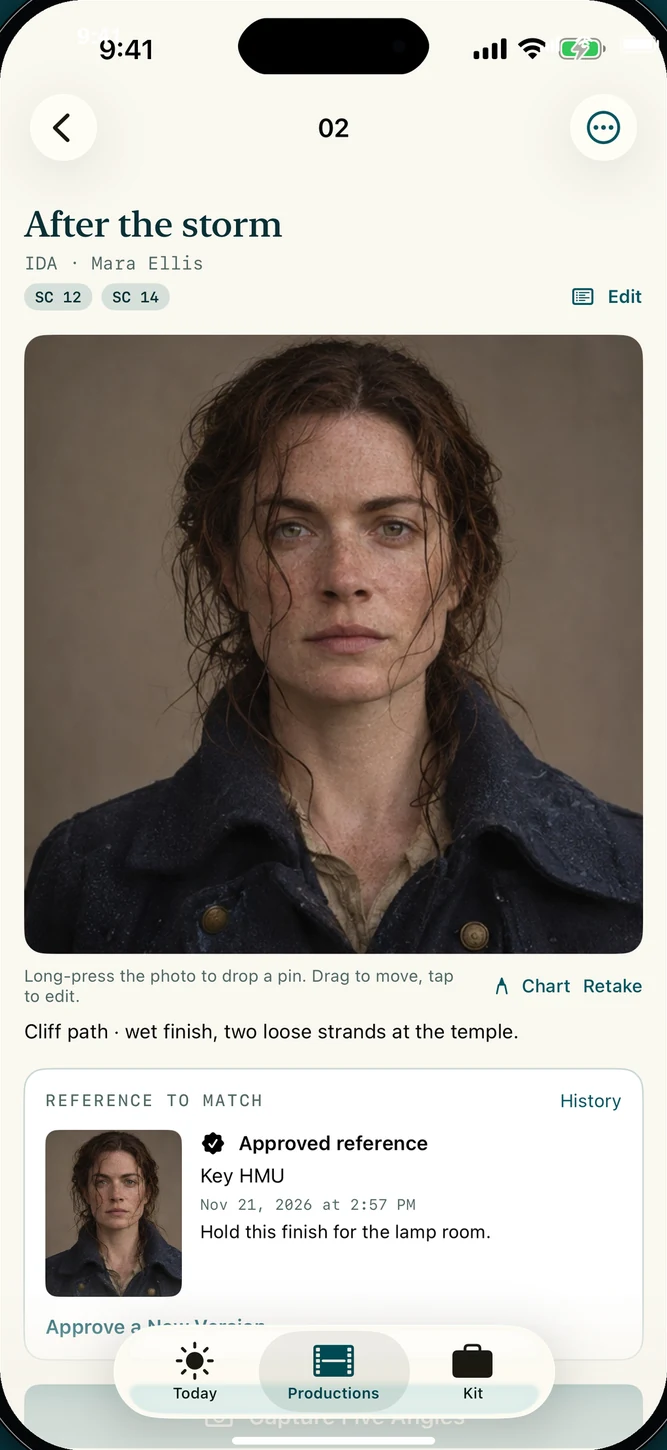
Save Before and After photos for each character in a scene. Add more reference angles and keep the notes you’ll need when the shot picks up again.
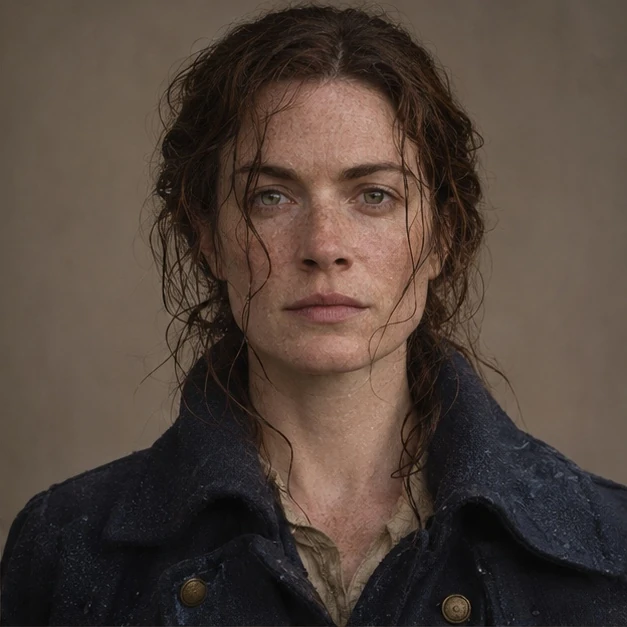
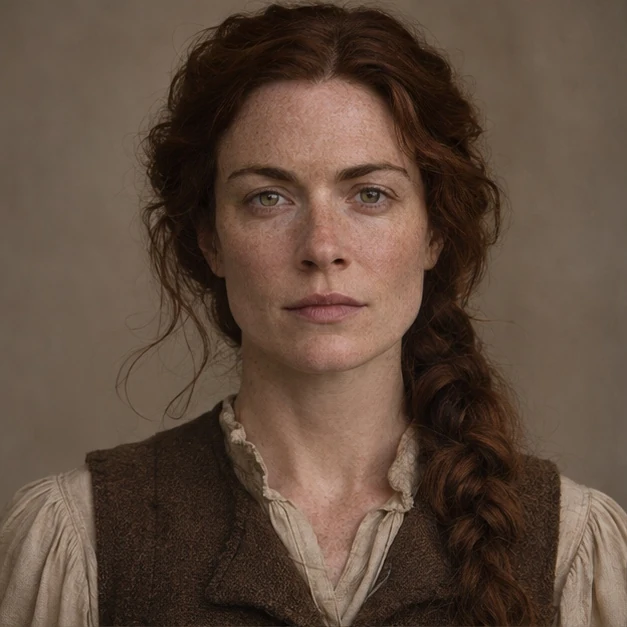
Ida from the fictional production The Lantern Keeper.
Who it’s for
Made for the whole department.
From the first fitting to the last pickup, everyone who touches the look works from the same references.
-
Department heads
Break down the script, design each character’s looks and decide who sees and edits what.
-
Artists in the chair
Pull up the approved reference in seconds and log what changes between setups.
-
SFX and prosthetics
Track wounds, blood, dirt and ageing stage by stage, scene by scene.
-
Dailies and second unit
Join a shared production and match the look without a handover call.
Plans
Start free. Pay when the show does.
Try TakeTwin on one production for free. Upgrade for unlimited productions, or cover a whole crew for a shoot.
-
Free
$0
No account needed
- One local production
- Characters, looks, scenes and notes
- Works offline
-
Solo
$24.99
One-time purchase
- Unlimited productions
- Script and shooting schedule import
- Full PDF continuity bible
- View references and notes your crew shares with you
-
Included in the beta
Pro
$5.99 / month
or $49.99 a year
- Everything in Solo
- Publish references to invited crew
- Choose who can edit shared scene notes
-
Production Pack
6 months
Per production · price shown in the App Store
- One shared production and script
- Six crew seats included, extra seats available
- The producer controls who can edit
Prices in US dollars. Your local App Store price may differ and is shown before you confirm. Pro renews until you cancel in your Apple Account. Pro features are free while TakeTwin is in TestFlight beta.
Frequently asked questions
Does TakeTwin work offline?
Yes. You can keep local productions, photos and notes on your device and work without signing in. Account features and sharing require a connection.
Can I use it on both iPhone and iPad?
Yes. Turn on personal sync on each device while signed in to the same account to keep productions, notes and photos in sync.
Can I share references with my crew?
You can export a PDF continuity bible. With Pro, you can publish references for invited crew and assign permission to edit shared scene notes.
What does TakeTwin cost?
One local production is free. Solo is a one-time purchase that unlocks unlimited productions. Pro is a monthly or annual subscription that adds crew sharing. See Plans for details. Pro features are free during the TestFlight beta.
How do I install the beta?
Fill in the beta request form. When your invitation arrives, install TakeTwin through Apple’s TestFlight app on your iPhone or iPad.
TakeTwin on TestFlight
Try it on your next shoot.
TakeTwin is in beta for iPhone and iPad. Tell us a little about your work and we’ll email you a TestFlight invitation.
Thanks, you’re on the list.
We’ll email your TestFlight invitation soon. Install Apple’s TestFlight app on your iPhone or iPad so you’re ready.